







How to get rid of character "^H" at Secure CRT
Posted by admin on 18th July 2011
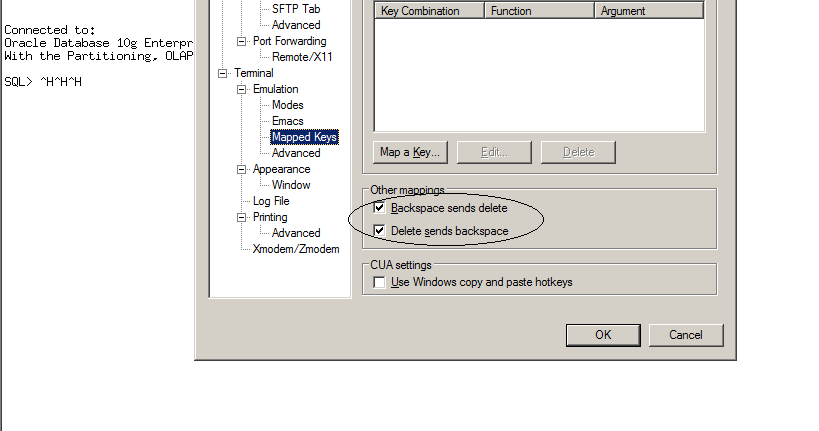
In some terminals when you login to SqlPlus and hit backspace to clear the text you’ve written, the following character apperas “^H”. Without any configuration, you can use “Ctrl”+”Backspace” in order to clear the text from terminal. However, by making a little change in the “Session Options” menu, you can get rid of this annoying character “forever”. Here’s the screenshot:
Posted in Administration | No Comments »