





My Oracle e-books
Here you can find all ebooks that I’ve published.
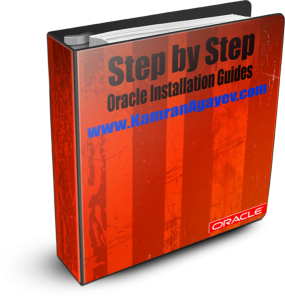
I’ve decided to create an e-book based on all “Step by Step Installation Guides” that I have in my blog. This e-book contains the following step-by-step guides:
1. Step by Step Installing Oracle Database 10gR2 on Linux
2. Step by Step Installing Oracle Database 10gR2 on Oracle Solaris 10
3. Step by Step installing Oracle 11g R2 on OEL 5.5
4. Step by Step installing Oracle 11g R2 on Oracle Solaris 10
It consists of 200 pages and contains 188 screenshots! You can download it “for free” from the following link:
March 3rd, 2012 at 8:05 am
hello sir it’s my first visit on this site it’s awesome and helpful for freshers thanks for sharing your wonderful knowledge here.
March 17th, 2012 at 1:47 am
First I need to say Thank you sir,
First time I visited to this site. This is Wonderful site to learn new thing on oracle.
Thanks a lot sir,
Paradesaiah
March 20th, 2012 at 3:53 pm
Thank you. Wonderful site.
March 23rd, 2012 at 4:48 pm
Hello Kamran, thanks a lot for sharing the information through your wonderful website. It has made things really simple for many people. I have been using this website for quite some time now. Thanks again.
March 30th, 2012 at 5:56 am
hi sir,
how to install multiple databases on a single server..
is it required to reset the oracle_home/base in the .bash_profile or i need to create a new one in the bash_profiel..
pls guide me
March 30th, 2012 at 6:40 am
ORACLE_HOME and ORACLE_BASE should remain. You can add aliases to the bash_profile and make setting ORACLE_SID environment variable easy
Create new database, export ORACLE_SID each time and connect to the database you’ve specified
March 30th, 2012 at 6:17 pm
thanks kamran,
can u pls tell me the step by step procedure for installing multiple database on a single server
April 2nd, 2012 at 11:12 am
hi sir,
my bash_profile is like this
what are the modifications to be done for installing multiple database in a single server…
thanks in advance
my bash profile is
#bash_profile
#get the aliases and functions
if [ -f ~/.bashrc ]; then
~/.bashrc
fi
#user environment and startup programs
PATH=$PATH:$HOME/bin
export PATH
unset USERNAME
ORACLE_SID=prod ; export ORACLE_SID
ORACLE_BASE=/u01/app/oracle; export ORACLE_SID
ORACLE_HOME=$ORACLE_BASE/product/10.2.0/db_1; export ORACLE_HOME
PATH=/usr/sbin:$PATH; export PATH
PATH=$ORACLE_HOME/bin:$PATH; export PATH
LD_LIBRARY_PATH=$ORACLE_HOME/CLASS_PATH/lib:/lib:/usr/lib; export LD_LIBRARY_PATH
CLASS_PATH=$ORACLE_HOME/JRE:/ORACLE_HOME/jlib:$ORACLE_HOME/rdbms/jlib; export CLASS_PATH
April 12th, 2012 at 11:22 am
hello..
today i was installing oracle 10g on linux platform the installation was all okay but when i open the site my database page showed down arrows i found i started up and shutdown the problem i am detecting is off listener can you help me out with this how i can make my database up.
Regards
Manveer
India
April 13th, 2012 at 6:11 am
Don’t make it up using EM. Login to sqlplus and run the following commands:
sqlplus / as sysdba
startup
April 23rd, 2012 at 3:08 pm
assalam alikum,
kamran,
i am working as an oracle dba..
i am very thankful to you because you are sharing your knowledge with others.
i want to share and discuss my doubts with you..
please let me know…
thanks
allh hafiz
–Riaz
April 25th, 2012 at 7:49 am
hi.
can you make a tutorial step by step config physical standby database?
thanks.
May 4th, 2012 at 7:12 pm
Hi Kamran,
My Name is Sergio and i live in Brazil (south America).
Our blog is very interesting, and i will mention your URL on GLUFKE ORACLE FORUN (a brazilian forun of oracle), as an interesting site to visit.
Best regards,
Sergio
May 7th, 2012 at 11:48 am
Hi Sergio, nice to meet you
Thanks for sharing my link. I really appreciate it
As I’m training Brazilian Jiu Jitsu, I’m planning to visit Brasil in the near future
Thanks again
July 7th, 2012 at 6:16 am
Assalamualaikum kamran!
i want to purchase rman backup and recovery, i am from india, wud u pls inform me when it wil be delivered? or is it available in india?
reply me soon.. does this book contains video tutorials cd with this?
August 7th, 2012 at 3:48 am
wonderful material so far so good
October 23rd, 2012 at 12:47 pm
Superb !!
November 8th, 2012 at 7:41 am
HI Kamran,
Its really helpfull to get to know new features through videos, Nice to understand concepts.
Please shared more videos on RMAN for Backup & Recovery in detail.
Thanks in Advance..
December 11th, 2012 at 12:18 pm
sir will you please send me 11g R2 rac on oel 5.5 through vmware for testing purpose with pics
thanks in advance
December 24th, 2012 at 6:19 am
Hi Farhan
I’m currently working on video tutorial and will post it soon
March 8th, 2013 at 6:11 am
Good work
June 22nd, 2013 at 9:25 pm
hello sir
please let me know how the database is created through dbca and manually,upgraded,backup and recover,configured,clone, in real time
and what is emca command
January 15th, 2014 at 1:50 pm
Hello Kamran,
Thank You verymuch for all the articles and it’s a Fantastic site.
Thanks
Kishore
April 21st, 2014 at 10:11 pm
and 12c?
May 28th, 2014 at 4:32 pm
Good morning Sir,
First of all, I would like to say thank you for your time and effort to present all the knowndge that you have. I really appreciate for this. If you have a chance, Can you show me how to do in diffrent backup and recovery in RMAN, and diffent tunning in oracle and could you please show or recomend for me which type of tunning is the save the most memory and storege space. Finally, can you show me how to set up table_space, index-table. again, I am a student right now, I just want to be prepared for future job. Therefore, I really need your help. Thank in advance.
Respectfully,
Sonny Nguyen
June 13th, 2014 at 4:02 am
Hi Sonny
I would suggest you to start reading Oracle documentation. There’re some video tutorials in my blog where you can find how to make a backup and recovery.
However, tuning is not an easy issue, so you need to know how Oracle works and from where to start tuning.
Check the following file and make sure you start reading, reading and reading
http://tonguc.files.wordpress.com/2009/06/oracle-introduction-for-newbies.doc
May 28th, 2014 at 4:34 pm
It is Sonny Again,
Can you show me step of how to do “Basic Compression” in Oracle 11g
Thank you for your help
Sonny
June 11th, 2014 at 8:25 am
Dear Sonny
You should check google
March 27th, 2015 at 12:56 pm
Thanks for your enormous support for Oracle Group,
Give your link for your document showing step by step method of installing Oracle 11gR2 in Redhat Linux latest version
April 7th, 2015 at 5:16 am
Hi Senthil
Check the following post:
http://kamranagayev.com/2011/03/21/step-by-step-installing-oracle11g-on-linux/
October 29th, 2015 at 7:09 am
i Thank you sir for your wonderful work, your work is precious Thank you for sharing